Discover — How To?
Get help
To provide efficient support, SPAD.neXt has built-in access to the ticket system.
If you need support, please start SPAD.neXt and reproduce the situation that causes the problem.
Now in SPAD.neXt, click on the "Support" menu item.
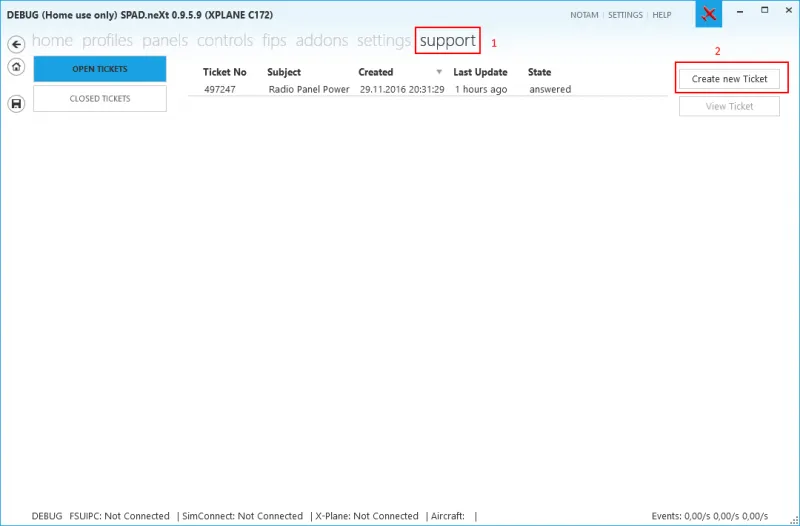
Here you can see all your open and closed tickets. A double-click on a ticket will open it in your web browser.
Please note: tickets that need your reaction are marked as "answered" and will be closed after 5 days if you do not react.
Now click on "Create new Ticket" to create a new support ticket.
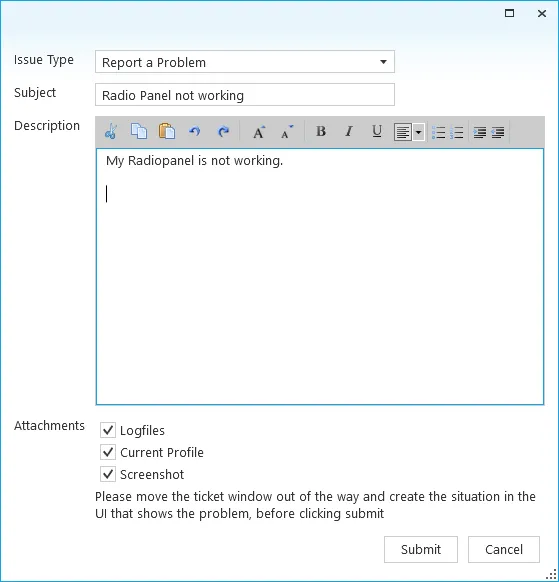
Fill in the fields, and click "Submit".